

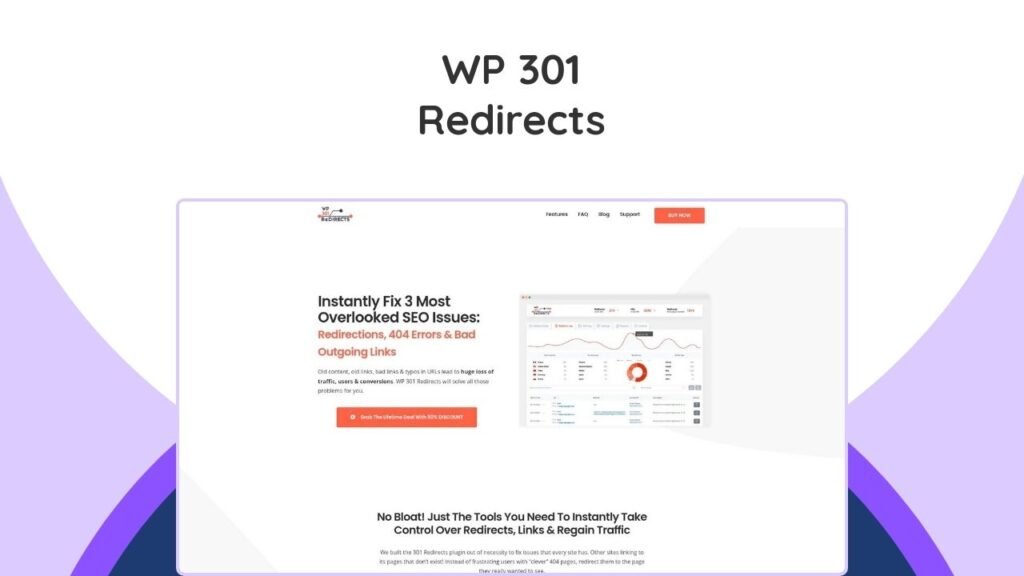
A WP 301 Redirects Lifetime Deal offers permanent access to the WP 301 Redirects WordPress plugin, a powerful tool designed to effectively manage website links, resolve 404 errors, and optimize SEO. This plugin ensures that visitors are seamlessly directed to the correct pages, preventing lost traffic and improving user experience, even if they encounter broken or mistyped URLs. This deal provides webmasters, developers, and digital marketers a cost-effective, long-term solution for maintaining a healthy and high-performing website. The article will delve into the core features of WP 301 Redirects, explain how it operates, highlight its significant benefits for SEO and user experience, and detail the advantages of securing a lifetime deal. You will learn why this plugin is an essential asset for any WordPress site owner.
Overview of WP 301 Redirects
WP 301 Redirects is a comprehensive WordPress plugin crafted to streamline the management of your website’s URLs. It is particularly valuable for addressing common issues such as broken links, problematic 404 error pages, and lengthy, unwieldy affiliate links. By automatically redirecting users and providing robust tools for link monitoring, the plugin ensures that visitors consistently land on the intended content, significantly enhancing both user satisfaction and search engine optimization (SEO) efforts. This tool is a critical asset for anyone looking to maintain a professional and efficient online presence, preventing the common pitfalls that lead to lost traffic and diminished rankings.
Key Features of WP 301 Redirects
WP 301 Redirects is equipped with a suite of features that simplify link management and boost your website’s performance. These functionalities are designed to automate common tasks and provide granular control over your site’s redirection strategy.
- Automatic Redirects: The plugin automatically redirects visitors from broken links or mistyped URLs to the correct, intended pages, effectively eliminating 404 errors and maintaining a smooth user journey.
- Link Scanner Tool: An integrated tool scans every page on your website to identify broken, unsafe, or potentially dangerous outgoing links, allowing you to address them proactively before they negatively impact your site’s credibility or SEO.
- Affiliate Link Management: It provides a convenient way to shorten and manage long, complex affiliate links, making them more presentable and user-friendly without affecting their functionality.
- Customizable Branding (White Labeling): For agencies or those managing client websites, the plugin allows full rebranding, enabling customization of logos, names, URLs, and contact information to match your business’s identity, all without requiring any code.
- SaaS Integration: This feature enables automatic scanning and monitoring of your website links and integrates with services like Google Safe Browsing and Alexa Rank API to help identify risky links.
- Centralized Dashboard: Manage redirects, monitor site performance, and access detailed click statistics for multiple websites from a single, intuitive dashboard, offering a comprehensive overview of your link management.
- Manual Redirects: For specific or complex redirection needs, the plugin allows you to create custom manual redirects, giving you complete control over which pages redirect to which destination URLs.
- PDF Reporting: Generate branded PDF reports for clients, showcasing website traffic, redirect activity, and error fixes, providing clear evidence of the value of your services.
How WP 301 Redirects Works
Understanding the operational flow of WP 301 Redirects helps in leveraging its full potential. The plugin is designed for ease of use, from initial setup to ongoing link management.
Installation and Setup
Installing and setting up WP 301 Redirects is a straightforward process, even for users with limited technical expertise.
- Plugin Installation: Begin by installing the plugin directly from your WordPress dashboard. Once installed, activate it to initiate its features immediately.
- Automatic Redirection: Upon activation, WP 301 Redirects starts monitoring your site for broken or mistyped URLs. It automatically redirects these to relevant pages, preventing visitors from encountering frustrating 404 error messages.
- Manual Redirection Setup: For specific redirection scenarios, the plugin allows you to manually define redirect rules. You can select the source URL and specify the exact destination URL, providing precise control.
Link Management and Monitoring
Once set up, WP 301 Redirects provides robust tools for continuous link management and performance monitoring.
- Link Scanner Tool: The built-in Link Scanner meticulously inspects every page on your website, pinpointing any broken or potentially harmful links. This allows for prompt corrective action, such as fixing or removing the problematic links.
- Dashboard Access: A centralized dashboard provides a clear overview of all your redirects and vital performance statistics. This includes traffic data, daily redirect counts, and other key metrics.
- Detailed Statistics: The plugin logs every redirect and tracks user behavior, offering insights into popular pages, frequently mistyped URLs, visitor origins, and browser usage.
Customization and Branding
WP 301 Redirects offers extensive customization options, particularly beneficial for agencies or those managing multiple client websites. This feature allows you to tailor the plugin to align with your brand identity without any coding.
- Plugin Name: Customize the display name of the plugin within the WordPress admin area.
- Plugin Logo: Replace the default plugin logo with your own branding.
- Contact Information: Update contact details associated with the plugin to reflect your business.
- URLs associated with the plugin: Modify any URLs within the plugin to point to your desired destinations.
Benefits of Using WP 301 Redirects
Implementing WP 301 Redirects offers numerous advantages for website owners, particularly in the areas of SEO, user experience, and overall site management.
Enhanced SEO Performance
One of the most critical benefits of WP 301 Redirects is its profound impact on your site’s search engine optimization. Broken links and 404 errors can severely damage your SEO rankings, as they signal to search engines that your site is poorly maintained or contains irrelevant content. By automatically redirecting users to valid pages and scanning for harmful links, WP 301 Redirects ensures that search engine crawlers can efficiently index your site, preventing “link rot” and leading to significantly better SEO performance. This proactive management helps preserve your site’s authority and visibility in search results.
Improved User Experience
Nothing is more frustrating for a website visitor than encountering a broken page or a dreaded 404 error. These issues often lead to high bounce rates and a negative perception of your brand. By automatically redirecting users from problematic URLs to the correct content, WP 301 Redirects creates a seamless and intuitive browsing experience. This leads to increased visitor retention, lower bounce rates, and a more positive engagement with your website, encouraging users to explore further.
Centralized Management
For web development agencies, digital marketing professionals, or businesses managing a portfolio of websites, the ability to oversee multiple domains from a single, centralized dashboard is a significant advantage. WP 301 Redirects provides all the necessary tools in one place, eliminating the need to log into individual sites to track errors, manage redirects, and monitor traffic. This centralized approach drastically improves efficiency and oversight, allowing for more streamlined operations.
Affiliate Link Optimization
If you engage in affiliate marketing to generate revenue, WP 301 Redirects offers a valuable solution for optimizing your links. Long, unattractive affiliate URLs can deter clicks and look unprofessional. The plugin allows you to shorten and cloak these URLs, making them more user-friendly and easier to manage without compromising the click-through rates essential for your affiliate income. This optimization contributes to a cleaner site aesthetic and potentially higher conversion rates.
WP 301 Redirects Lifetime Deal
The WP 301 Redirects lifetime deal is an exceptional opportunity to secure long-term access to this powerful plugin and all its future updates with a single payment. This offer presents significant value, especially compared to recurring subscription models.
Deal Terms & Conditions
Understanding the specifics of the lifetime deal is crucial for making an informed decision.
- Lifetime Access: You receive permanent access to the plugin, including all current and future updates, ensuring your tool remains relevant and functional.
- No License Codes: The deal simplifies management by eliminating the need for license codes or stacking multiple licenses. You simply choose the plan that fits your needs.
- GDPR Compliance: WP 301 Redirects is compliant with GDPR (General Data Protection Regulation), ensuring that user data is handled securely and privately. This is a critical aspect for maintaining website security and user trust.
- 60-Day Money-Back Guarantee: The deal includes a 60-day money-back guarantee, allowing you to try the plugin risk-free and receive a full refund if you are not satisfied.
Benefits of the Lifetime Deal
Investing in the WP 301 Redirects lifetime deal offers several key advantages.
- Cost-Effective Solution: Instead of ongoing annual subscriptions, a single, one-time payment grants you permanent access, leading to significant long-term savings.
- Future Updates Included: All future updates, new features, and improvements are automatically included, ensuring your plugin remains up-to-date and effective without additional costs. This is crucial for staying ahead in the ever-evolving world of SEO strategies.
- Flexible Licensing: The lifetime deal offers various tiers to accommodate different needs, from managing a single website to overseeing multiple domains, providing the necessary tools for any scale.
WP 301 Redirects Pricing
The WP 301 Redirects lifetime deal is structured into different tiers to cater to various user needs, from individual website owners to large agencies. The pricing reflects a one-time payment for permanent access.
| Plan | Original Price | Lifetime Deal Price | Sites Supported | Site Scans Monthly | Key Features |
|---|---|---|---|---|---|
| Personal | $79 | $49 | 1 Site | 30 | All Plugin Features, Licenses & Sites Manager, Remote Site Stats & Logs, Whitelabel mode, Full Rebranding, Branded PDF Reports, Priority Support |
| Team | $159 | $59 | 5 Sites | 70 | All Plugin Features, Licenses & Sites Manager, Remote Site Stats & Logs, Whitelabel Mode, Full Rebranding, Branded PDF Reports, Priority Support |
| Agency | $299 | $99 | 100 Sites | 200 | All Plugin Features, Licenses & Sites Manager, Remote Site Stats & Logs, Whitelabel Mode, Full Rebranding, Branded PDF Reports, Priority Support |
*Prices are indicative and may vary. Always check the official deal page for the most current pricing.
WP 301 Redirects vs. Competitors
When considering a redirection plugin for WordPress, it’s helpful to compare WP 301 Redirects against other popular options in the market. Each plugin offers a unique set of features and focuses.
WP 301 Redirects vs. Redirection
- WP 301 Redirects: Offers a centralized dashboard for multi-site management, a robust link scanner tool, dedicated affiliate link management, and comprehensive branding customization options. It provides a more integrated solution for SEO and user experience.
- Redirection: A widely used free plugin primarily focused on basic redirect management. While effective for creating and tracking 301 redirects, it generally lacks the advanced features like SaaS integration, centralized dashboards, or white-labeling capabilities offered by WP 301 Redirects.
WP 301 Redirects vs. Broken Link Checker
- WP 301 Redirects: Not only identifies broken links through its scanner but also provides a complete solution for automatically redirecting them and allows for manual redirect creation. This proactive approach helps manage 404 errors effectively.
- Broken Link Checker: This plugin’s main function is to identify and report broken links within your WordPress site. However, it does not inherently offer an integrated redirection solution; it merely alerts you to issues that then require manual fixes or the use of another redirect plugin.
WP 301 Redirects vs. SEO Plugins (Yoast SEO, Rank Math)
While comprehensive SEO plugins like Yoast SEO and Rank Math include redirection features, their primary focus is broader SEO management.
- WP 301 Redirects: A specialized tool that excels specifically in link management, 404 error handling, and redirection. Its features like the link scanner, centralized dashboard, and white-labeling are tailored for dedicated redirect control.
- Yoast SEO/Rank Math: These plugins offer redirection as one feature among many others, such as content analysis, XML sitemaps, and schema markup. While they can handle basic 301 redirects and monitor 404 errors, they may not offer the same depth of features for mass redirection, advanced link scanning, or multi-site control as a dedicated redirect plugin. Their redirection tools are often part of their premium versions.
Conclusion
The WP 301 Redirects Lifetime Deal presents a compelling investment for any WordPress site owner, web developer, or digital agency. This powerful plugin simplifies link management, effectively resolves frustrating 404 errors, and significantly boosts your website’s SEO performance and user experience. By offering features like automatic and manual redirects, a comprehensive link scanner, centralized management for multiple sites, and robust branding customization, it addresses crucial aspects of website health and visitor satisfaction.
Embracing this lifetime deal means a one-time payment grants you permanent access to a tool that continually adapts and improves with future updates. This provides exceptional long-term value, negating recurring subscription costs while ensuring your website remains optimized and error-free. If your goal is to streamline website maintenance, enhance search engine visibility, and guarantee a seamless browsing experience for your audience, WP 301 Redirects is an indispensable addition to your WordPress toolkit. Consider exploring this deal to take full control over your site’s redirects and eliminate overlooked SEO errors. Businesses looking to expand their digital toolkit might also find value in managing sales processes with tools like Smatleads lifetime deal or optimizing content creation with Writeseed lifetime deal, which can complement the efficiency gained from robust redirect management.
Frequently Asked Questions (FAQs)
How does WP 301 Redirects handle broken links?
WP 301 Redirects automatically redirects broken links to pages with similar or relevant URLs, ensuring visitors don’t land on 404 error pages. It also allows you to manually set specific redirects for more complex situations.
Can I use WP 301 Redirects on multiple sites?
Yes, WP 301 Redirects is designed for use on multiple websites. The lifetime deal includes various options for managing several sites from a centralized dashboard, depending on the chosen plan (Personal, Team, or Agency).
How do I customize the plugin’s branding?
WP 301 Redirects allows full customization without requiring any coding. You can easily modify the plugin’s name, logo, contact information, and associated URLs through its settings panel within your WordPress dashboard.
Will WP 301 Redirects slow down my website?
No, WP 301 Redirects is designed to be lightweight and efficient. Its overhead is minimal, and it does not load extra CSS or JS files in the frontend, ensuring it does not negatively impact your site’s speed or performance.
What is a lifetime deal and why is it beneficial?
A lifetime deal means you make a one-time payment to gain permanent access to the software, including all future updates and support, without any recurring subscription fees. This is beneficial because it offers significant long-term cost savings and ensures you always have the latest version of the tool.