

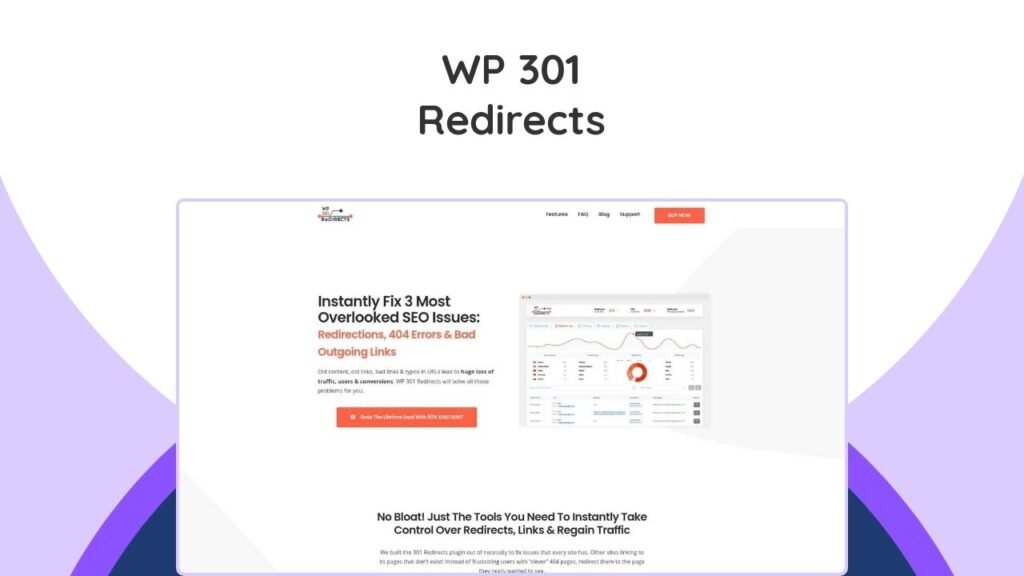
WP 301 Redirects Lifetime Deal offers a comprehensive solution for managing website redirects, preventing 404 errors, and enhancing SEO. This powerful WordPress plugin helps site owners fix broken links and ensure a seamless user experience by automatically directing visitors to the correct pages. It is especially beneficial for those who regularly update their site structure, change URLs, or manage affiliate links. By utilizing WP 301 Redirects, you can optimize your site for higher search engine rankings and maintain valuable traffic that might otherwise be lost due to outdated or mistyped URLs. This tool centralizes site management, allowing for remote control and performance monitoring across multiple websites. The following information will explain how WP 301 Redirects works, its key features, and why it is a vital asset for any WordPress website.
What is WP 301 Redirects Lifetime Deal?
The WP 301 Redirects Lifetime Deal is a one-time purchase that grants permanent access to a premium WordPress plugin designed to streamline website traffic management. This deal eliminates recurring fees, providing a cost-effective solution for long-term SEO and user experience optimization. It specifically addresses issues like broken links and 404 errors, which can significantly harm a website’s search engine ranking and frustrate visitors.
How Does a WP 301 Redirect Work?
A WP 301 redirect works by permanently forwarding one URL to another. When a user or a search engine tries to access an old or broken URL on your WordPress site, WP 301 Redirects automatically guides them to the new, correct page. This process ensures that visitors never encounter a “404 Not Found” error page, which can lead to a negative user experience and lost traffic. Crucially, 301 redirects also pass on the “link equity” or SEO value from the old URL to the new one, helping to preserve your search engine rankings. According to Semrush, 301 redirects are vital for maintaining search visibility by transferring ranking signals from old pages to new ones.
Why are 301 Redirects Important for SEO?
301 redirects are critically important for SEO because they prevent the loss of traffic and search engine authority when URLs change. Without proper redirects, search engines like Google will see a 404 error, indicating that a page no longer exists. This can lead to de-indexing of your pages and a drop in rankings. By implementing 301 redirects, you signal to search engines that a page has permanently moved, allowing the ranking power to transfer to the new URL. This is essential for:
- Maintaining Search Rankings: Ensures that the SEO value accumulated by an old page is passed to its new counterpart.
- Preserving User Experience: Guides visitors to the correct content, preventing frustration and increasing engagement.
- Preventing Lost Traffic: Recovers traffic that would otherwise be lost due to broken or outdated links.
- Consolidating Content: Helps merge duplicate or similar content under a single URL without losing SEO benefits.
Key Features of WP 301 Redirects
WP 301 Redirects comes equipped with a suite of features designed to make link management and SEO optimization effortless.
What are the Core Capabilities of the WP 301 Redirects Plugin?
The core capabilities of the WP 301 Redirects plugin include:
- Automatic Broken Link Recovery: Scans your entire site for broken internal and external links, automatically redirecting visitors away from 404 errors.
- Link Scanner Tool: Identifies harmful or low-reputation outlinks using tools like Google Safe Browsing and Alexa Rank API, protecting your site’s credibility.
- Smart Redirect Rules: Allows you to set up custom redirect rules, including wildcard support, for complex redirection needs and affiliate link management.
- Centralized Dashboard: Provides a single, intuitive dashboard to monitor all site performance, redirects, and 404 error statistics.
- White Labeling: Agencies can rebrand the plugin as their own, offering a seamless experience to clients without coding.
- Detailed Logs: Offers comprehensive logs to track where traffic is coming from and going, providing peace of mind and valuable insights.
- Remote Site Control: Manage redirects and monitor performance across multiple websites from one central location.
- Ignore Bad Traffic: Automatically ignores bad bots, directing them to standard 404 pages while ensuring legitimate traffic is redirected.
Can WP 301 Redirects Optimize My Website’s SEO?
Yes, WP 301 Redirects is highly effective at optimizing your website’s SEO. By systematically fixing broken links and ensuring proper redirection, it helps maintain and even improve your search engine rankings. Search engines favor websites that offer a smooth, error-free user experience. When users encounter fewer 404 errors and are consistently directed to relevant content, it signals to search engines that your site is well-maintained and provides value. This leads to better crawlability for search bots and improved page authority. For example, ensuring that old content URLs redirect to new, updated versions can prevent a drop in traffic and keyword rankings. Consider how a tool like SEO Generator Lifetime Deal could further complement your SEO efforts by providing advanced content optimization features alongside redirect management.
How Does WP 301 Redirects Improve User Experience?
WP 301 Redirects significantly improves user experience by eliminating frustrating dead ends. When a user clicks on a broken link or mistypes a URL, they typically land on a 404 error page. This can lead to immediate bounce-offs and a negative perception of your website. By automatically redirecting these users to the correct or most relevant page, WP 301 Redirects ensures a seamless journey. This keeps visitors engaged with your content, reduces bounce rates, and makes your site feel more professional and reliable. A positive user experience encourages longer visits and repeat engagement, which are indirect signals for higher search engine rankings.
WP 301 Redirects Pricing
The WP 301 Redirects Lifetime Deal offers various tiers to suit different needs, from individual website owners to agencies.
| Plan Tier | Original Price | Lifetime Deal Price | Sites Included | Key Features |
|---|---|---|---|---|
| Personal | $79 | $49 | 1 Site | 30 Site Scans, All Plugin Features, Licenses & Sites Manager, Remote Site Stats & Logs, Whitelabel Mode, Full Rebranding, Branded PDF Reports, Priority Support |
| Team | $159 | $59 | 5 Sites | 70 Site Scans, All Plugin Features, Licenses & Sites Manager, Remote Site Stats & Logs, Whitelabel Mode, Full Rebranding, Branded PDF Reports, Priority Support |
| Agency | $299 | $99 | 100 Sites | 200 Site Scans, All Plugin Features, Licenses & Sites Manager, Remote Site Stats & Logs, Whitelabel Mode, Full Rebranding, Branded PDF Reports, Priority Support |
All plans include lifetime access to WP 301 Redirects and all future Team Plan updates, backed by AppSumo’s 60-day money-back guarantee, ensuring a risk-free purchase.
Who Can Benefit from WP 301 Redirects Lifetime Deal?
The WP 301 Redirects Lifetime Deal is beneficial for a wide range of users, from individual bloggers to large agencies.
Is This Deal Suitable for Small Bloggers?
Yes, this deal is absolutely suitable for small bloggers. Even a single blog can accumulate broken links over time due to deleted posts, changed categories, or external sites linking incorrectly. For a small blogger, maintaining SEO is crucial for visibility and traffic growth. WP 301 Redirects ensures that all visitors land on active, relevant content, preventing them from bouncing away due to errors. This helps preserve search rankings and provides a professional image, even for new or small-scale sites. The Personal plan, at $49, is an affordable investment for long-term site health.
Can Web Developers and Agencies Utilize This Plugin?
Yes, web developers and agencies can greatly benefit from the WP 301 Redirects Lifetime Deal. The Agency plan, offering support for up to 100 sites, is ideal for managing multiple client websites. The white-labeling and full rebranding features allow agencies to present the plugin as their own, enhancing their service offerings. Centralized management, remote site control, and detailed logs streamline the process of maintaining numerous sites, ensuring optimal performance and SEO for all clients. This helps agencies deliver high-quality, professional solutions and manage their workflow efficiently. For professionals managing multiple assets, exploring other video lifetime deals or tools for graphic design like Graficto Lifetime Deal could also be valuable additions to their toolkit.
Conclusion
The WP 301 Redirects Lifetime Deal offers a robust and essential solution for any WordPress website owner looking to optimize SEO, prevent traffic loss, and enhance user experience. By effectively managing redirects and eliminating 404 errors, this plugin ensures that your site remains accessible, professional, and highly ranked in search results. Its comprehensive features, ranging from automated link scanning to detailed performance monitoring, provide an unparalleled level of control over your website’s health. Investing in this lifetime deal is a strategic move to secure your digital presence and ensure a seamless, engaging experience for all your visitors, ultimately driving better conversions and maintaining your site’s authority.
Frequently Asked Questions (FAQs)
What is WP 301 Redirects?
WP 301 Redirects is a premium WordPress plugin that works with all themes and plugins. It helps create and manage URL redirects. It also actively monitors all traffic coming to 404 pages and, when possible, redirects users to pages they were meant to see.
Will WP 301 Redirects slow down my site?
No, it will not slow down your site. The plugin’s overhead is minimal, and on 90% of page requests, it doesn’t do anything. It also does not load any extra CSS or JS files in the frontend, ever.
Is this plugin dangerous?
No, it’s not dangerous. It’s created to help you regain traffic and to tell Google if you edit any of your post/page URLs so it knows where to find them. If needed, you can always deactivate the plugin, and it’ll be completely removed from your site.
What happens to my redirect rules if I deactivate or delete the plugin?
Deactivating the plugin stops redirects but does not delete them from your database. Deleting the plugin permanently removes all redirects and associated data from your database.
Does WP 301 Redirects support wildcard characters in redirect rules?
Yes, WP 301 Redirects supports the use of ‘*’ as a wildcard character in source URLs, allowing you to create redirect rules that match multiple URLs.