

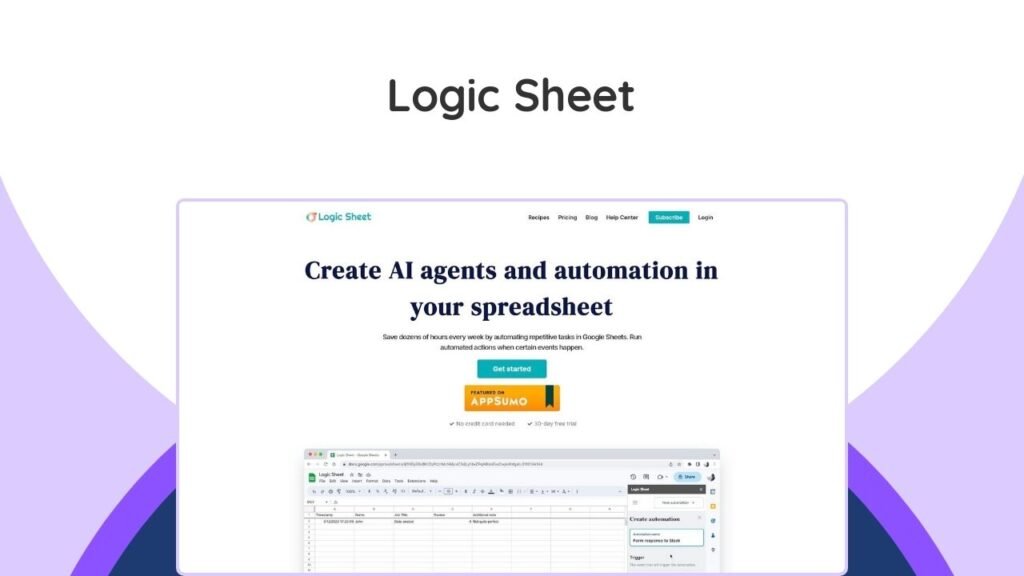
Logic Sheet is a powerful Google Sheets add-on that enables users to automate repetitive tasks, create AI agents, and streamline workflows directly within their spreadsheets. This innovative tool aims to significantly boost productivity by eliminating the need for manual, time-consuming data management. By defining triggers, setting conditions, and choosing actions, users can build custom automation workflows that operate 24/7 in the cloud. Logic Sheet integrates with various popular applications like Slack, Airtable, Notion, and HubSpot, making it a versatile solution for diverse business needs. This article will delve into how Logic Sheet functions, its core features, practical use cases, and how it can transform your Google Sheets experience for enhanced efficiency.
What is Google Sheets Automation?
Google Sheets automation refers to the process of setting up rules and commands within Google Sheets that automatically perform tasks without manual intervention. This can range from simple data entry updates to complex workflows involving multiple applications. The goal is to eliminate repetitive, mundane tasks, thereby saving time, reducing errors, and allowing users to focus on more strategic activities. Automation in Google Sheets leverages scripts, add-ons, or built-in functions to make spreadsheets dynamic and responsive to changes or specific criteria.
Why is Automating Google Sheets Important for Productivity?
Automating tasks in Google Sheets is crucial for productivity as it directly addresses inefficiencies caused by manual work. Automating repetitive tasks can save countless work hours, allowing employees to focus on more creative or strategic work. Businesses can significantly improve efficiency, reduce operational costs, and boost overall productivity. For instance, instead of manually sending email notifications for every spreadsheet update, an automated system can handle this instantly, ensuring timely communication and freeing up human resources. This leads to a more efficient and less error-prone workflow, ultimately contributing to better business outcomes and improved employee well-being by reducing burnout.
How Does Logic Sheet Automate Tasks?
Logic Sheet automates tasks in Google Sheets through a user-friendly, three-step process: defining a trigger, setting optional conditions, and choosing actions. This structured approach allows users, even those without coding experience, to create sophisticated automation workflows.
What are the Key Steps to Set Up Automation in Logic Sheet?
Setting up automation with Logic Sheet involves three core steps:
- Step 1: Set Up a Trigger: This is the event that initiates your automation. Logic Sheet offers various trigger types to suit different needs:
- Time-driven triggers: Automations run at specified intervals (hourly, daily, weekly, or monthly).
- Form submission triggers: Workflows activate when a new Google Form submission is received.
- On-edit triggers: Automations run when a spreadsheet is edited, with options to listen for changes in specific rows, columns, or ranges.
- Webhook triggers: Turn your spreadsheet into a webhook to receive HTTP requests and trigger automations from external services.
- Step 2: Choose (Optional) Conditions: Conditions ensure that automations only run when specific criteria are met. This allows for dynamic and intelligent workflows. For example, an automation might only trigger if the value in cell A10 is greater than 100, or if a form submission contains a certain keyword.
- Step 3: Automate Tasks with Actions: Once triggered and conditions are met, Logic Sheet performs predefined actions. These actions can vary widely, from updating the spreadsheet itself to integrating with other business tools.
What Actions Can Logic Sheet Perform?
Logic Sheet can perform a wide range of automated actions, enhancing various aspects of your workflow. These actions can be executed based on the triggers and conditions you set up.
- Generate Text with AI: Connects to OpenAI (GPT) and Google Gemini to generate content, summarize data, and categorize information directly within your spreadsheets.
- Send Emails: Automatically sends email notifications based on spreadsheet changes or form submissions.
- Send Slack Messages: Keeps team members informed with automatic Slack messages triggered by spreadsheet events.
- Update Your Spreadsheet: Sets new values or formulas in cells, inserts new rows, or sorts sheets.
- Integrate with Other Tools:
- Update Airtable: Adds new records to your Airtable base using values from Google Sheets.
- Update Notion Database: Adds new database items into Notion.
- Send Contact to Hubspot: Automatically adds contacts to your HubSpot CRM.
- Subscribe User to Mailchimp: Adds subscribers to your Mailchimp lists.
- Send HTTP/API Requests: Allows for integration with any API to extend functionality.
- Manage Spreadsheet Access: Grants or removes access to the spreadsheet.
- Data Management: Removes rows from the spreadsheet, refreshes formulas, copies sheets, clears ranges, finds and replaces data, and protects ranges.
- Formatting & Communication: Adds comments to a range and formats cells.
What are the Benefits of Using Logic Sheet?
Logic Sheet offers numerous benefits that contribute to improved efficiency and productivity, making it a valuable tool for anyone working with Google Sheets.
How Does Logic Sheet Boost Productivity and Save Time?
Logic Sheet significantly boosts productivity and saves time by automating repetitive and manual tasks. By handling routine operations like data entry, sending notifications, and updating records, it frees up users to focus on more critical and analytical work. The ability to set up automations that run 24/7 in the cloud means that tasks are executed even when you’re not actively working, ensuring continuous progress and timely completion. This reduction in manual effort not only saves hours but also minimizes the risk of human error, leading to more accurate data and reliable workflows.
What Features Enhance User Experience and Efficiency?
Logic Sheet is designed with features that make automation accessible and efficient for all users, regardless of their technical expertise.
- User-Friendly Interface: The intuitive design allows for easy setup of automation workflows in just three simple steps.
- Template Gallery: Access to a vast collection of pre-built templates tailored for various industries and tasks makes starting new automations quick and effortless.
- Community Recipes: The “Import from Recipe” feature allows users to share and import automation recipes from others, leveraging collective knowledge and proven workflows.
- Unlimited Executions and Creations: Users enjoy unlimited automation executions and creations across all their sheets, providing complete flexibility without hidden costs.
- Cloud-Based Operations: Automations run on the cloud 24/7, ensuring continuous operation and reliability.
- AI Agent Building: The capability to connect to OpenAI and Google Gemini allows for the creation of intelligent workflows that can generate text, summarize data, and categorize information, pushing beyond simple automation.
Who Can Benefit from Logic Sheet?
Logic Sheet is designed for a wide range of users and industries, making it a versatile tool for anyone looking to optimize their Google Sheets workflows.
What are the Common Use Cases for Logic Sheet?
Logic Sheet can be applied to various scenarios to automate tasks and improve efficiency:
- Project Management: Automate task tracking by sending notifications when project updates occur in your sheet. This can include alerts for due dates, status changes, or new assignments.
- Data Analysis and Reporting: Schedule regular updates to your data sets without manual intervention, ensuring your reports are always current. For example, automatically fetch data from external sources daily or weekly.
- CRM Automation: Automatically send welcome emails to new contacts added via Google Forms or update customer records based on interactions in your sheet.
- Team Collaboration: Keep team members informed with automatic Slack messages or email notifications triggered by spreadsheet changes, ensuring everyone is on the same page.
- Lead Generation and Sales: Automate the process of adding new leads from forms to your CRM, or send follow-up emails based on lead status.
- Inventory Management: Receive alerts when stock levels fall below a certain threshold or automatically update inventory counts based on sales data.
- Marketing Campaigns: Automatically subscribe users to Mailchimp lists from form submissions or update campaign performance data in real-time.
Can Non-Coders Use Logic Sheet Effectively?
Yes, Logic Sheet is designed to be highly accessible for non-coders. Its user-friendly interface and three-step automation setup process (trigger, condition, action) eliminate the need for complex scripting or programming knowledge. The availability of pre-built templates and the ability to import community recipes further simplify the process, allowing individuals without any coding experience to create powerful automations. User testimonials frequently highlight the ease of use and the tool’s ability to automate complex processes without requiring scripts, making it ideal for those who are not developers.
Logic Sheet Lifetime Deal Pricing
While the specific lifetime deal mentioned in the provided sources has expired, it is valuable to review the typical pricing structure for such an offering, as it reflects the value proposition of the product.
| Plan Type | Payment Model | Price (USD) | Key Features |
|---|---|---|---|
| Individual Plan (Past Lifetime Deal) | One-time payment | $99 | Max 1 device, Unlimited automation executions, Unlimited automation creation, Works in unlimited sheets, Access to all templates and recipes, Automations run on cloud 24/7, Updates included. |
| Team Plan | One-time payment | (Not specified in sources, likely higher than Individual) | (Likely includes features for multiple users/collaborative workflows) |
| Enterprise Plan | One-time payment | (Not specified in sources, likely highest tier) | (Likely includes advanced features, dedicated support, higher usage limits for large organizations) |
It is important to note that the $99 lifetime deal for the Individual Plan has expired. For current pricing and available plans, it is recommended to check the official Logic Sheet website. Lifetime deals, like the one previously offered for Logic Sheet, represent a significant value proposition as they provide indefinite access to the software with a single upfront payment, eliminating recurring subscription costs. Such deals are often sought after by small businesses and individuals looking for long-term cost savings on essential tools. For those interested in similar opportunities for productivity tools, exploring platforms like LTD Crate can be beneficial, as they frequently feature various lifetime software deals.
Is Logic Sheet a Reliable and Secure Tool?
When considering any tool that interacts with sensitive data, reliability and security are paramount. Logic Sheet addresses these concerns through its integration with Google’s ecosystem and positive user feedback.
Is Logic Sheet a Google Cloud Partner?
Yes, Logic Sheet is officially a Google Cloud Partner. This designation means that Logic Sheet has been recognized by Google Cloud for its expertise in delivering services, solutions, or products that utilize Google Cloud technologies. This partnership indicates a level of trust and validation from Google, suggesting that the add-on adheres to certain standards of quality and integration within the Google ecosystem. Being a Google Cloud Partner also implies a commitment to leveraging Google’s infrastructure, which is known for its robust security measures and reliability.
What Do Users Say About Logic Sheet?
User reviews and feedback indicate a generally positive reception for Logic Sheet. On the Google Workspace Marketplace, the add-on has garnered favorable ratings, with many users highlighting its ease of use and effectiveness. Common themes in positive reviews include:
- Ease of Use: Many users, even those without coding experience, find the tool simple to set up and use for automating complex tasks.
- Time-Saving: Reviewers frequently praise Logic Sheet for significantly reducing manual effort and saving considerable time on repetitive Google Sheets operations.
- Responsive Support: Several users have noted the developer’s helpfulness and quick response times to queries and issues.
- Versatility and Adaptability: The tool’s ability to adapt to a wide variety of tasks and its constant updates with new features are appreciated.
While the overall sentiment is positive, some past feedback indicated a slight learning curve or minor feature limitations, though these seem to be outweighed by the overall benefits and ongoing improvements. The 60-day money-back guarantee previously offered also provided users with confidence to try the product risk-free.
Conclusion
Logic Sheet stands out as a powerful and accessible solution for anyone looking to optimize their Google Sheets workflows. By offering intuitive automation capabilities, including AI agent creation and extensive integrations, it empowers users to reclaim valuable time previously spent on repetitive tasks. The emphasis on a simple three-step setup process—trigger, condition, action—makes it highly approachable for both technical and non-technical users. With its status as a Google Cloud Partner and a strong positive reception from its user base, Logic Sheet demonstrates reliability and effectiveness. While the specific lifetime deal may have expired, the long-term benefits of automating spreadsheet tasks with a tool like Logic Sheet remain significant, contributing to enhanced productivity, reduced errors, and more strategic work. Embracing such automation tools is a key step towards streamlining operations and maximizing efficiency in today’s data-driven environments.
Frequently Asked Questions (FAQs)
What is Logic Sheet?
Logic Sheet is a Google Sheets add-on designed to automate repetitive tasks, create AI agents, and streamline workflows directly within your spreadsheets to boost productivity.
How does Logic Sheet work?
Logic Sheet automates tasks through a three-step process: you define a trigger (e.g., time-driven, form submission, on-edit), set optional conditions, and then choose the actions you want Logic Sheet to perform (e.g., send emails, update spreadsheets, integrate with other apps).
Can I use Logic Sheet without coding knowledge?
Yes, Logic Sheet is designed for non-coders. Its user-friendly interface, pre-built templates, and community recipes allow you to set up complex automations without writing any code.
What types of triggers does Logic Sheet support?
Logic Sheet supports various triggers including time-driven (hourly, daily, weekly, monthly), form submission, on-edit (listening to specific cells or ranges), and webhooks.
What are some common actions Logic Sheet can perform?
Common actions include generating text with AI (OpenAI, Google Gemini), sending emails, sending Slack messages, updating spreadsheets, and integrating with tools like Airtable, Notion, HubSpot, and Mailchimp.